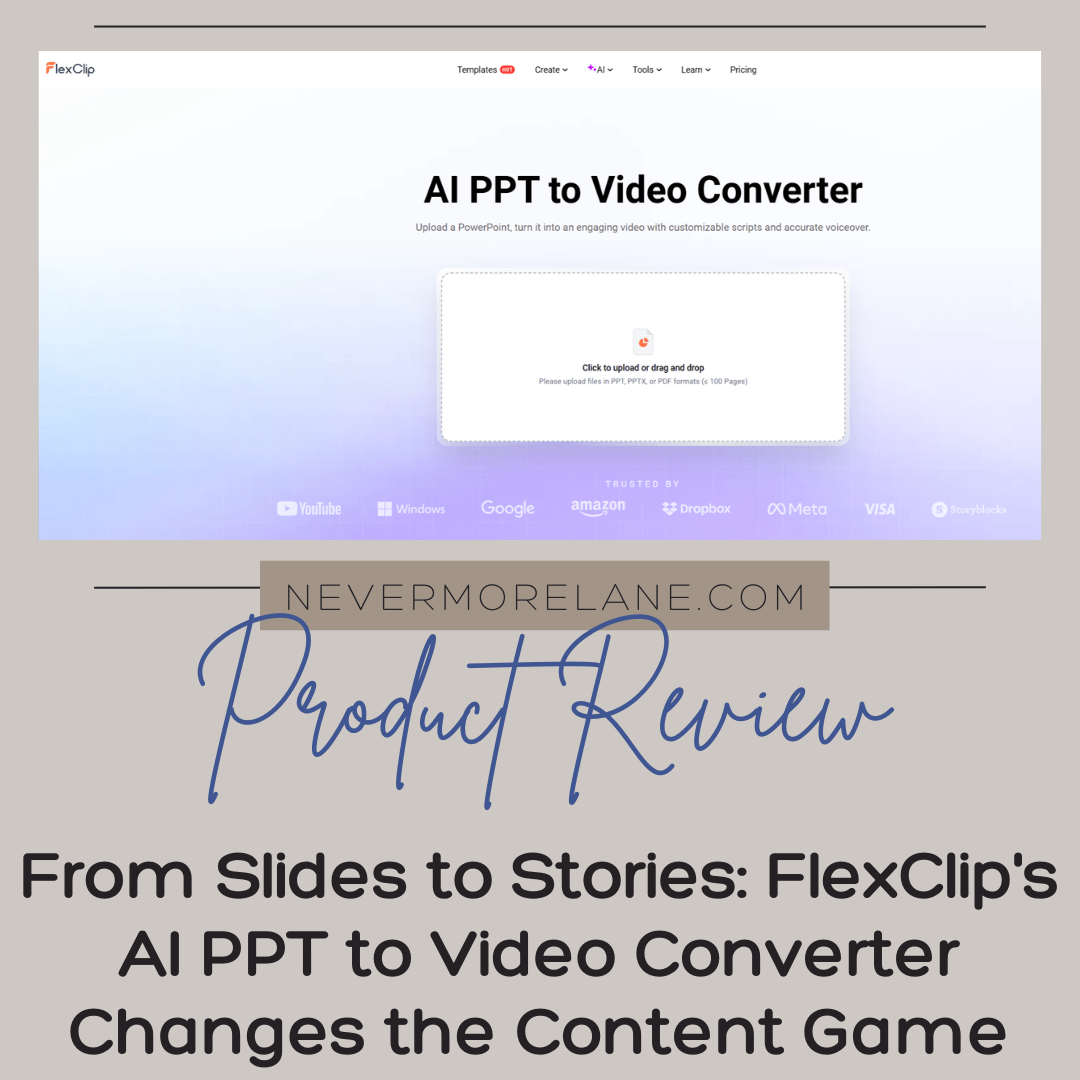
From Slides to Stories: FlexClip’s AI PPT to Video Converter Changes the Content Game
You know that stack of PowerPoint presentations gathering digital dust on your hard drive? The ones you created for webinars, workshops, client pitches, or educational content that served their purpose once and then just sat there, static and forgotten? I have been looking at mine lately with this nagging feeling that there’s more life in them, more potential to reach people in different ways. But the thought of manually converting slides into video content, screen recording while narrating, editing out the awkward pauses and stumbles, and then trying to make it all look remotely professional has kept those presentations exactly where they are. Collecting dust.
Then I discovered something that genuinely surprised me, and considering how skeptical I have become about AI promises that sound too good to be true, that’s saying something. FlexClip, the video editing platform I reviewed previously with mixed feelings about its user experience, has added an AI feature that actually delivers on its promise. The AI PPT to Video Converter takes those dormant slide decks and transforms them into watchable, shareable video content with remarkably little effort on your part. No screen recording. No stumbling through narration takes. No hours of editing to synchronize everything.
I am still processing how much this changes the equation for content creators like us who have years of valuable information trapped in presentation formats. This is not just about saving time, though that matters immensely. This is about unlocking content we have already created and giving it new life in formats that meet audiences where they actually are. Because let’s be honest, in our scroll happy, video first world, who is downloading a PowerPoint to read through slides? But a quick, engaging video covering the same ground? That people will watch.
What This AI Tool Actually Does (And Why It Matters)
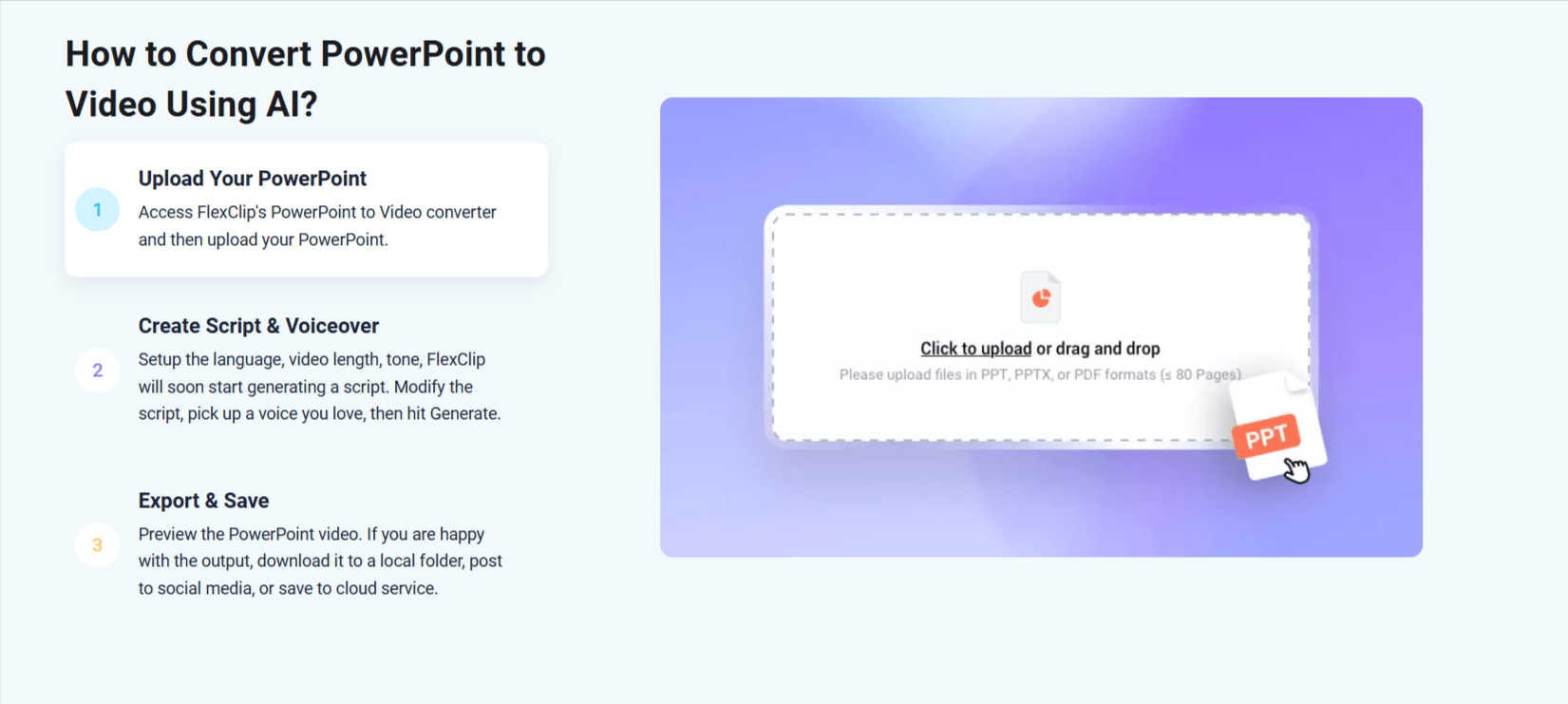
The concept behind FlexClip’s AI PPT to Video Converter is beautifully simple in theory. You upload your PowerPoint file, the AI analyzes your slides, and it generates a video complete with visuals, transitions, subtitles, and even AI generated voiceover if you want it. The technology handles the heavy lifting of transforming static slides into dynamic scenes, syncing text with timing, and creating something that actually looks like a produced video rather than just a recording of someone clicking through slides.
What makes this genuinely useful rather than just another gimmicky AI feature is the level of customization available. The AI does not just slap your slides together with generic transitions and call it done. It interprets the content on each slide, suggests appropriate visuals from FlexClip’s extensive stock library, generates subtitles that make the content accessible and mobile friendly, and creates scene timings that feel natural rather than rushed or dragging. You can choose from different AI voice options if you want narration, or you can record your own voice and let the AI handle the synchronization with the visuals.
The real magic happens in how this opens up your content library. Think about all those presentations you created for specific occasions. That workshop you led on productivity strategies. The webinar about sustainable living practices. The pitch deck explaining your services to potential clients. Each of those represents hours of work creating valuable content, and now they can become social media content, YouTube videos, lead magnets, email course materials, or promotional videos without starting from scratch. You are essentially getting multiple content pieces from a single creation effort, which is the holy grail of efficient content marketing.
Turning Presentations Into Social Media Gold
Here’s where this tool really shines for those of us managing multiple platforms and constantly needing fresh content. Social media thrives on video, but creating video content from scratch for every single post across Instagram, TikTok, Facebook, LinkedIn, and everywhere else we’re supposed to maintain a presence feels impossible. The hamster wheel of content creation never stops spinning, and we’re all exhausted from running on it.
The AI PPT to Video Converter offers a legitimate shortcut that does not sacrifice quality. That detailed presentation about journaling techniques you created for a workshop? It can become a series of short form videos, each focusing on one slide or concept, perfectly sized for Instagram Reels or TikTok. The educational content about slow living principles you presented at a virtual summit? Transform it into a YouTube video that extends your reach beyond the people who attended that specific event. The service overview you show potential clients? Turn it into an engaging promotional video for your website or LinkedIn profile.
What I appreciate most is how this addresses the reality that different audiences consume content in different ways. Some people love reading blog posts. Others prefer listening to podcasts. But an enormous percentage of online audiences primarily engage with video content. By converting your presentations into videos, you’re not creating different content for different platforms. You’re translating the same valuable information into formats that reach people who might never have engaged with the slide deck version. You’re meeting them where they are, in the format they prefer, without multiplying your workload exponentially.
The subtitle feature deserves special mention here because it solves multiple problems at once. Auto generated subtitles make your videos accessible to people who are deaf or hard of hearing, which is not just kind but often legally important depending on your industry. They also make your content consumable in sound off environments, which describes how most people scroll social media during work breaks, on public transportation, or late at night when they do not want to disturb others. Subtitles increase engagement metrics significantly because people can watch and understand your video even when they cannot or prefer not to turn on sound.
The Learning Curve Versus Value Proposition
I need to be honest with you about something. My previous review of FlexClip focused heavily on the user experience friction I encountered, the hunt for tutorials, the less than intuitive interface that required more cognitive effort than I wanted to invest. Those observations were genuine, and they still apply to the broader platform. FlexClip is not the easiest video editor I have ever used. It requires patience and a willingness to climb a learning curve that feels steeper than it should for a tool marketed as beginner friendly.
However, the AI PPT to Video Converter feature specifically is remarkably straightforward. This is one area where FlexClip genuinely delivers on the promise of simplicity. You upload your PowerPoint file, select your preferences for voiceover style and video format, and let the AI do its work. The process does not require you to navigate the full complexity of the video editing interface. You are not hunting through menus trying to figure out how to accomplish basic tasks. The AI handles the technical complexity, and you just make creative decisions about the final output.
That said, you will likely want to refine what the AI generates initially. While the automated output is impressive, it might not perfectly capture your vision or brand aesthetic on the first try. This is where you do need to engage with FlexClip’s editing tools, and this is where that interface friction I mentioned before comes into play. Adjusting timing, swapping stock images for ones that better match your brand, tweaking transitions, or adding custom elements requires navigating the platform’s broader editing capabilities. If you are already familiar with FlexClip from previous projects, this will not be a big deal. If this is your first time using the platform, expect to spend some time figuring things out.
The question becomes whether the value this specific feature provides outweighs the learning curve required to use it effectively. For me, the answer depends entirely on how much dormant presentation content you have and how valuable it would be to repurpose that content into video format. If you have a library of presentations containing information you want to share more widely, the time investment in learning to refine AI generated videos might absolutely be worth it. If you rarely create presentations and do not have much material to work with, the value proposition weakens considerably.
Creative Possibilities Beyond Simple Conversion
What excites me most about this tool is not just the straightforward conversion of existing presentations but the creative possibilities it opens up for content planning. Once you know this conversion capability exists, it changes how you think about creating presentations in the first place. You start designing slide decks with an eye toward their future life as video content, which influences your design choices, text density, visual selection, and overall structure.
Think about building a content ecosystem where a single core creation feeds multiple outputs. You create a comprehensive presentation on a topic within your expertise. That presentation serves its immediate purpose at a workshop, webinar, or client meeting. Then it becomes the source material for a series of videos, each one focusing on specific slides or concepts. Those videos become social media content, YouTube uploads, email course materials, or bonus content for your audience. You write a blog post based on the presentation content, embedding the videos throughout for visual reinforcement. You create an email sequence that delivers one video daily or weekly. You build a free resource library featuring these videos as lead magnets.
This is not just repurposing in the lazy sense of posting the same thing everywhere. This is strategic content multiplication where you create something substantial once and then thoughtfully adapt it for different platforms, formats, and audience needs. The AI tool handles the heavy technical lifting of the format conversion, freeing you to focus on the strategic and creative decisions about how to best use the resulting videos.
I can envision using this for evergreen educational content that continues providing value long after its initial creation. Topics like “Understanding Tarot Card Meanings,” “Getting Started with Journaling,” “Building a Slow Living Practice,” or “Analog Life in a Digital World” could each be comprehensive presentations that then become video series reaching entirely new audiences. The videos can be updated periodically as your thinking evolves or new information becomes available, but the core conversion process remains the same.
Practical Considerations and Realistic Expectations
Before you rush off to convert every PowerPoint you have ever created, let’s talk about some practical realities. The AI is impressive, but it is not magic. The quality of your output depends significantly on the quality of your input. Presentations designed for live delivery, where the speaker provides most of the value through verbal explanation and the slides simply highlight key points, will not translate as effectively into standalone videos. You need presentations with sufficient text and visual content to communicate clearly without additional narration, or you need to plan on recording voiceover to fill in the gaps.
The stock visuals the AI suggests are pulled from FlexClip’s library, which means your videos might end up looking somewhat generic if you do not invest time in customization. This is fine for internal use, quick social media content, or situations where brand consistency matters less than speed of creation. For high stakes presentations, client facing materials, or content representing your brand prominently, you will want to replace AI selected visuals with custom images, your own photographs, or carefully chosen stock photos that align with your aesthetic. This customization takes time and returns us to the interface navigation challenges I mentioned earlier.
There are also practical limitations around file size, slide complexity, and animation handling. Extremely large PowerPoint files might need to be broken into smaller sections before conversion. Slides with complex animations or custom transitions might not translate perfectly, requiring manual adjustment in the video editor. If your presentations rely heavily on interactive elements or non linear navigation, those features will not carry over into linear video format. These are not dealbreakers, but they are important to understand going in so you set appropriate expectations.
The pricing structure matters here too. While FlexClip offers a free tier, the limitations become restrictive quickly when working with AI features and wanting professional quality output. To access the full capabilities of the AI PPT to Video Converter without watermarks, with high resolution exports, and with enough processing time for longer presentations, you will need a paid subscription. Compare the cost against the time you would spend manually creating equivalent video content to determine if the investment makes sense for your situation.
When This Tool Makes the Most Sense
Not every content creator needs an AI PPT to Video Converter, and that is perfectly fine. This is a specialized tool that solves specific problems for certain workflows. Let me help you think through whether this falls into your “must have,” “nice to have,” or “completely unnecessary” category.
You absolutely need this tool if you regularly create presentations for workshops, webinars, courses, or client meetings and you want to extend the lifespan and reach of that content. Educators, consultants, coaches, speakers, and service providers who invest significant time developing presentation materials will find enormous value in converting those presentations into videos for broader distribution. The time savings alone justifies the learning curve and any subscription costs.
You would probably benefit from this tool if you have a library of existing presentation content gathering dust and you recognize the potential value in reviving it for new audiences or platforms. Even if presentation creation is not an ongoing part of your workflow, that back catalog might represent dozens or hundreds of hours of work that could be leveraged more effectively. The initial investment in learning the tool could unlock significant content assets you have already created.
You can probably skip this tool if presentations are not part of your content creation process at all, if you prefer creating video content from scratch rather than working from slides, or if you have already found a workflow for screen recording presentations that works well for you. There is no point adding another tool to your stack if it does not solve a problem you actually have. The AI conversion capability is genuinely useful, but only if you have presentations to convert and desire video output.
Finding Your Video Content Sweet Spot
At the end of the day, tools are only as valuable as the problems they solve and the workflows they improve. The AI PPT to Video Converter from FlexClip solves a real problem for people sitting on libraries of presentation content who want to reach video first audiences without starting from scratch. It makes the technically complex process of converting slides into engaging videos accessible to people without video production skills or expensive software.
My honest assessment remains mixed, as it was in my original FlexClip review. The platform still has user experience issues that create friction and frustration. The interface still feels less intuitive than I would like. The learning curve still exists, even though this particular feature is more straightforward than the general video editing tools. However, this AI capability is genuinely useful in ways that might outweigh those drawbacks depending on your specific needs and existing content library.
If you decide to explore this tool, start with your best, most evergreen presentation content. Choose something comprehensive enough to provide real value as a video but focused enough not to become overwhelming. Run it through the AI converter, experiment with the customization options, and see if the output justifies the time investment required to refine it into something you are proud to share. Use that first project as a test case before committing to converting your entire presentation library.
And remember, the goal is not to create more content for content’s sake. The goal is to make your valuable ideas, insights, and expertise accessible to more people in formats they prefer consuming. If this tool helps you accomplish that goal more efficiently than your current process, it is worth considering. If it adds complexity without adding equivalent value, it is perfectly fine to acknowledge that and stick with what works for you.
Thank you for letting me share this exploration of FlexClip’s newest AI feature with you. Your time is precious, your creative energy is finite, and the tools you choose should amplify your impact rather than drain your resources. I hope this honest look at the AI PPT to Video Converter helps you make the best decision for your unique content creation journey.
If you enjoyed this deep dive into AI powered content tools, I would love for you to explore more posts here on Nevermore Lane. There’s always something new brewing in our cozy corner of the internet, and I would be delighted to share a virtual cup of coffee with you while we explore what makes a magical, intentional creative life.
Like what you read? Drop me a line – let’s chat over virtual coffee.
~ Chrystal